
Track your Plunderstorm games.
Climb the Leaderboard before it ends.
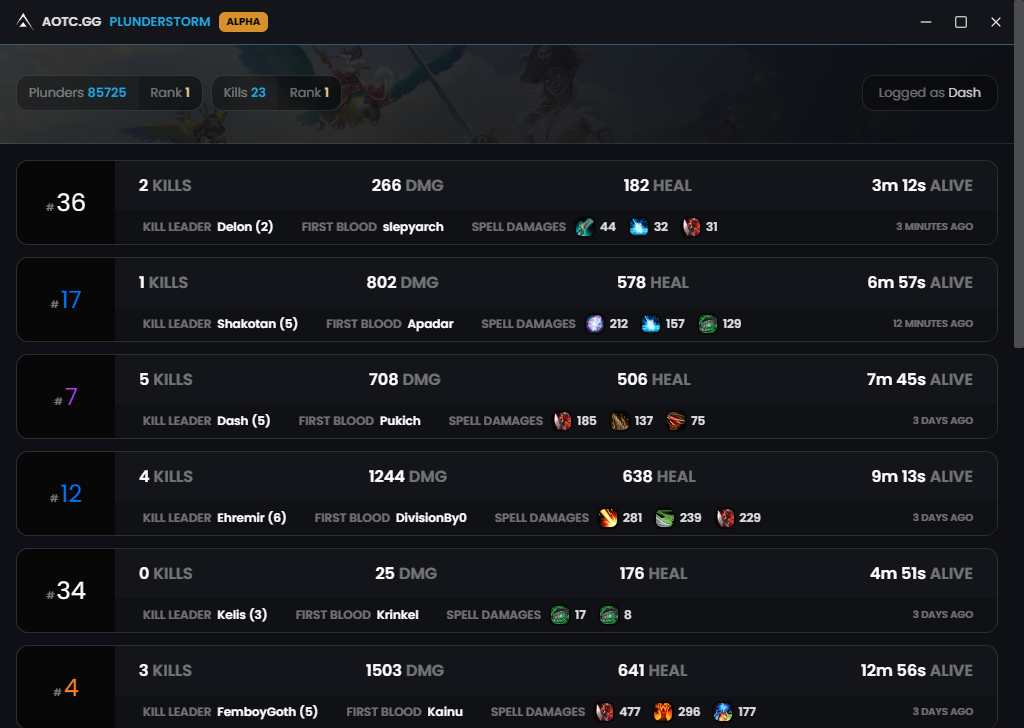
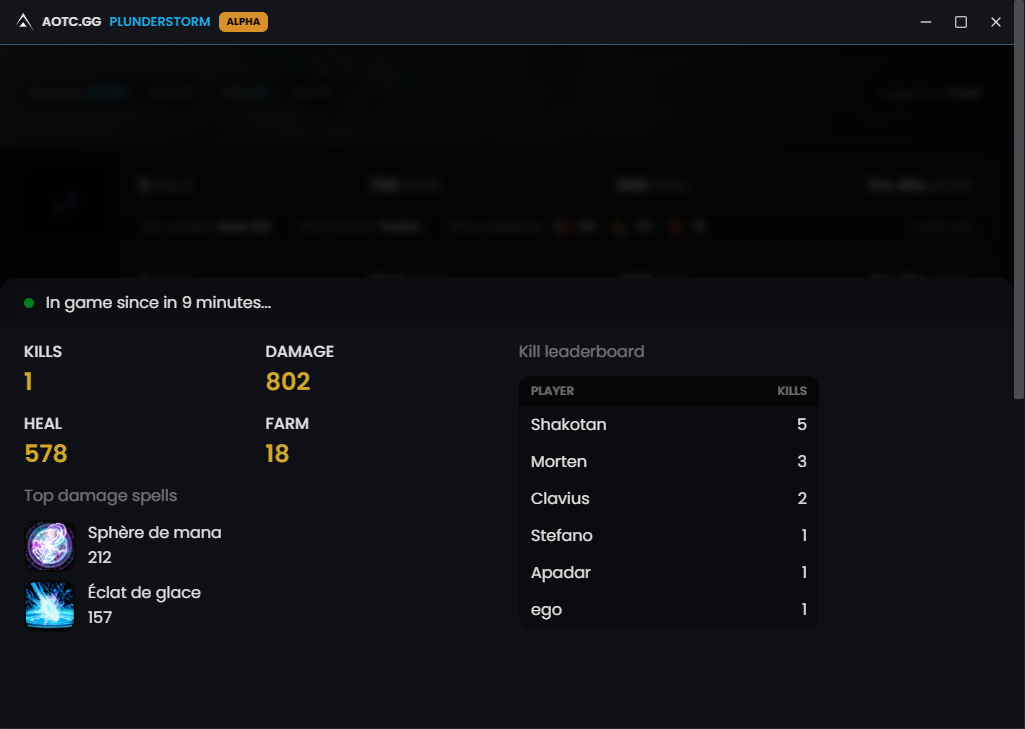
Get started
Hi, I'm Sam. I casually play WoW and have loved playing Plunderstorm with my friends since its release.
However, we quickly found it frustrating not having a way to track our performances in the game. We wanted some sort of stats about our games, be able to track our progress and compete with each other. So I created this desktop app to run while we are playing.
If you want to join us or compete with your friends, you first need to download the client.
Then, login with your battlenet account.
Finally, locate your World of Warcraft folder.
And you are good to go!
The client won't be able to retrieve the stats from the games you've played before installing it.
That being said, all the Plunders that you have collected so far will be retrieved.
That being said, all the Plunders that you have collected so far will be retrieved.
Requirements
In order for AOTC Plunderstorm to work properly, you need to :
- Play in fullscreen
- Resolution 16:9 (1920x1080, 1280x720, etc.)
Here is a detailed list of what is working and what isn't totally, assuming you have met the previous requirements.
Detection of
SoloQ
DuoQ
TrioQ
Plunders collected
100%
100%
100%
Kill*
95%
95%
95%
Damage*
95%
95%
95%
Placement
70%
10%
10%
Mate
-
How does it work?
Image Processing: We use basic image processing techniques to identify elements and even the state of your Plunderstorm game. This process involves retrieving an image of your current game, analyzing it, and attempting to extract data from it. For example, it can detect whether you are currently in the lobby or in a game.
Combat Logs: We utilize combat logs to gather data about what's happening in your game. Combat log is a system developed by Blizzard and commonly used by other tools like Warcraftlogs or Raider.io to collect data about raid encounters or Mythic+ dungeons.
Friends developer, here is the stack
- Desktop app fired up by Electron
- Images processed with Jump & Tesseract OCR
- Website built with Next and deployed on Vercel